
Pro plan · Works with ChatGPT and Claude
Run your store's social media from ChatGPT or Claude
Connect LzyPost to the AI you already use. Say “schedule a post for each of my best-sellers” and it finds the products, writes the captions and fills your Facebook and Instagram queue.
Just ask
No new app to learn.
Type what you want in plain words, and your assistant does it with LzyPost.
Find my 5 best-selling products and schedule a post for each.
Looks up your Shopify best-sellers, writes the captions with LzyPost, and adds them to your queue.
What's going out on Instagram this week?
Lists your scheduled posts, soonest first.
Rewrite next week's captions to mention free shipping.
Edits the captions of posts already in your queue.
Post at 9am and 7pm Bangkok time on weekdays.
Shows you the new posting schedule, and saves it once you say yes.
Use this photo for the cat tee post.
Adds the photo you attached (or a link) to My media and puts it on the post.
Post the cat tee now instead of Friday.
Confirms which post and page, then publishes it right away, like Post now in the app.
You stay in control
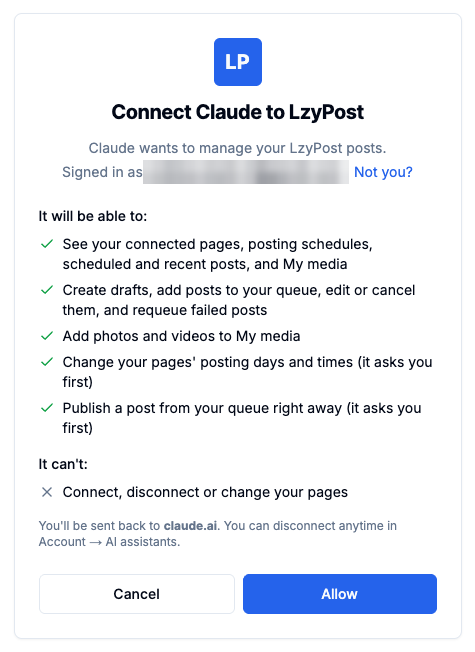
You approve the connection. You can cut it anytime.
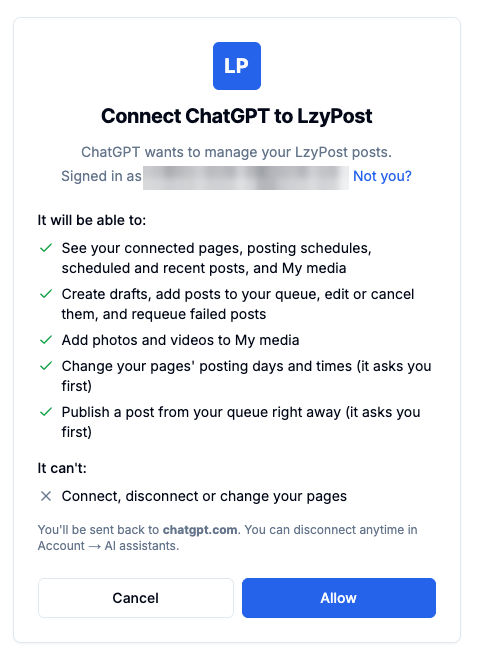
Your assistant can
- See your connected pages, posting schedules, scheduled and recent posts, and My media
- Find products in your Shopify store and write posts with LzyPost's AI
- Add posts to your queue, edit or cancel them, and requeue failed ones
- Add photos and videos to My media (from a chat attachment, a link, or a one-time upload link)
- Change your posting days and times, after asking you
- Publish a queued post right away when you ask, after confirming which one
It can't
- Post on its own. Posts go out in your scheduled slots unless you ask for one now
- Connect, disconnect or change your Facebook and Instagram pages
- See your password, billing, or anything outside LzyPost
Setup
Connect in 2 minutes.
You need LzyPost Pro. Your assistant gets its own sign-in, so you never share your password.
Connector URL
https://api.lzypost.com/mcp 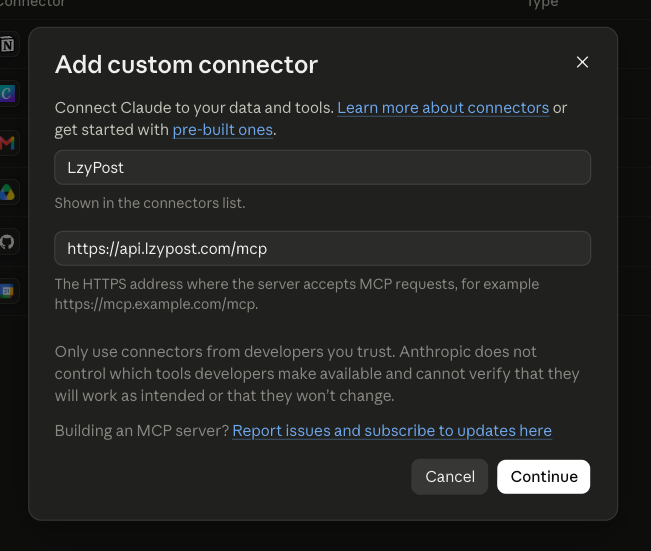
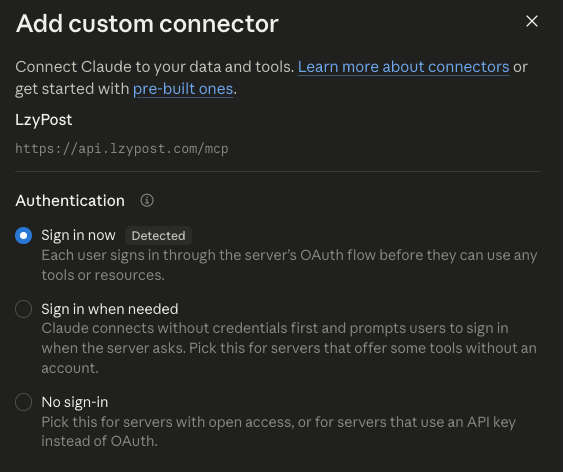
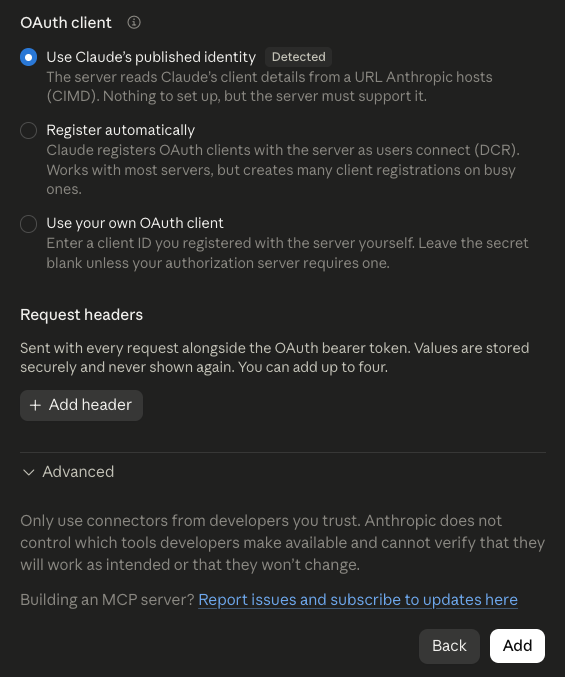
 Step 1 of 5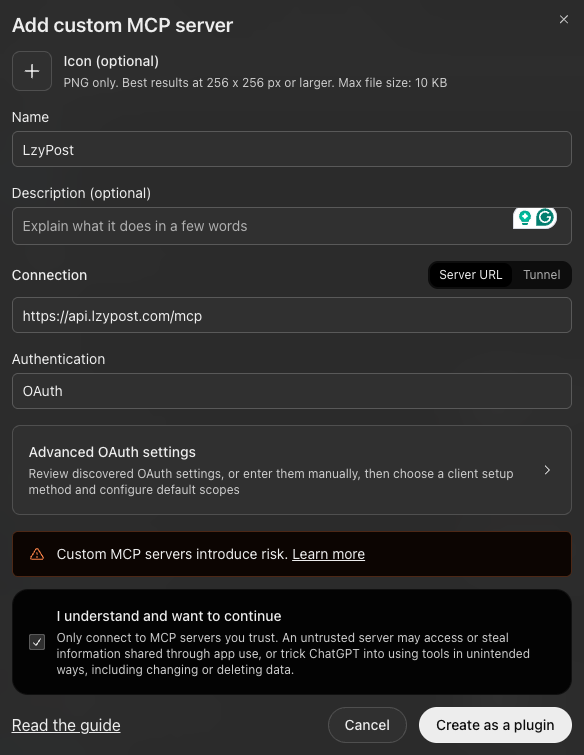
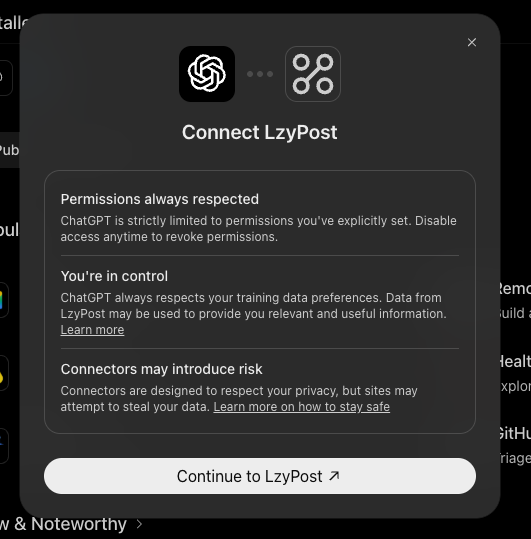
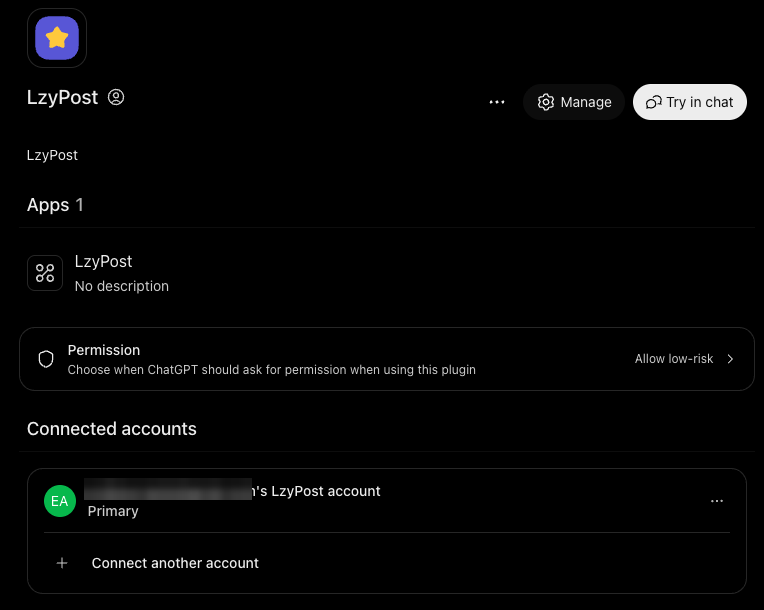 Step 1 of 4
 Run this in your terminal, then type /mcp in Claude Code and follow the sign-in link.
claude mcp add --transport http lzypost https://api.lzypost.com/mcp Questions
Good questions, short answers.
What is MCP?
MCP (Model Context Protocol) is the standard way AI apps like ChatGPT and Claude connect to other tools. LzyPost's MCP connector lets your AI assistant work with your LzyPost account, the same way you would in the app.
Which plan do I need?
Connecting AI assistants is part of the Pro plan ($60/month, or $30/month billed yearly).
Which AI apps work?
Claude (web, desktop and mobile, plus Claude Code) and ChatGPT.
Can the AI post without me?
No. Posts it adds go out in your scheduled slots, and you can review, edit or cancel them in the LzyPost Scheduler first. If you ask it to post something now, it confirms which post and page before publishing, just like Post now in the app.
Can it pick the time for a post?
No one picks individual times in LzyPost: new posts fill each page's next free slot from its posting schedule. Your assistant can change that schedule for you, but it shows you the new days and times and asks first.
Can I use my own photos and videos?
Yes. Attach a photo in ChatGPT, paste a link, or ask for a one-time upload link (handy in Claude). Files go into My media and can be used on any post.
How do I disconnect?
In LzyPost, go to Account → AI assistants and click Disconnect. Access stops right away. Posts it already scheduled stay in your Scheduler.
Is my data shared with the AI company?
Only what your assistant asks for while you chat with it, like your page names or post captions, so it can answer you. Your password and billing details are never shared.
Let your AI keep your pages full.
Get LzyPost Pro, connect ChatGPT or Claude, and fill a month of posts in one chat.